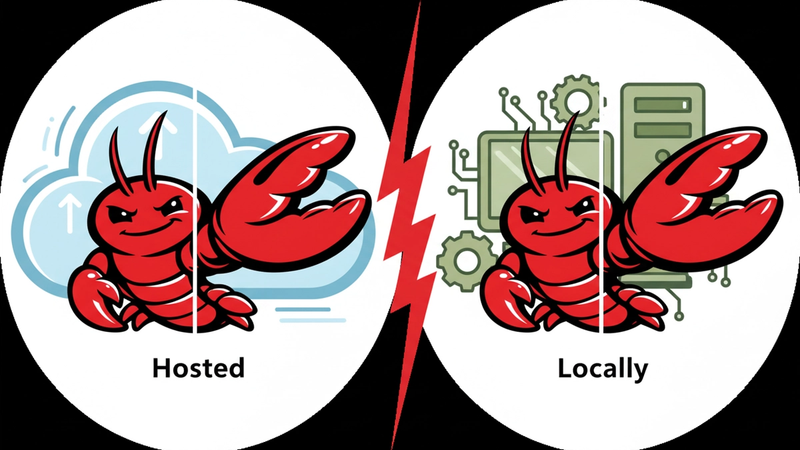
One of the first decisions you'll face when getting started with OpenClaw is where to actually run it. Your laptop? A server? A managed hosting service? It's not a one-size-fits-all answer, and the right choice depends a lot on who you are and what you want out of the experience. Here's an honest breakdown.
What "running OpenClaw" actually means
OpenClaw needs to be running somewhere at all times. That's the whole point of it. It monitors your inbox, sends morning briefings, follows up on tasks, and reacts to things happening around you. If it goes offline because your laptop sleeps or your server runs out of memory, it stops working entirely. So the hosting question is really a question about reliability and how much you want to manage.
Running OpenClaw locally
Running OpenClaw on your own machine is the most hands-on option. You have full control over everything, your data never leaves your hardware, and there are no monthly hosting fees beyond your AI model costs.
The tradeoff is real though. Self-hosting means you are the sysadmin. You're responsible for security patching, uptime monitoring, backup management, SSL certificate renewal, Docker maintenance, API key rotation, and resource monitoring. That's a reasonable ask if you're a developer who enjoys this kind of thing. For everyone else, it can quickly become more work than it's worth.
There's also the uptime problem. If your computer sleeps, OpenClaw sleeps with it. That means no proactive actions, no scheduled tasks, no heartbeat. For anyone who wants their assistant running 24/7, a local machine simply won't cut it unless you have a dedicated device like a Mac Mini or a Raspberry Pi that stays on around the clock.
Self-hosting only really makes sense for a handful of situations: if you're testing OpenClaw before committing to paid hosting, if you're running it exclusively on your local network without external access, or if you already have dedicated server hardware sitting unused.
Running OpenClaw on a VPS
A virtual private server is a popular middle ground. You get 24/7 uptime without keeping your own machine on, and you maintain full control over your data and configuration. VPS hosting means OpenClaw stays on all the time, so it can handle scheduled tasks, monitor events, and take proactive action even when your computer is off or asleep.
The catch is that a VPS is still unmanaged. You're renting a server, but you're still on the hook for everything that runs on it. Setting it up correctly requires comfort with Linux, Docker, terminal commands, and networking. And when something breaks, it's your problem to fix.
When a critical vulnerability was disclosed in early 2026, researchers identified over 17,500 internet-exposed OpenClaw instances across 52 countries. Many of these remained unpatched days after the fix became available because operators simply hadn't applied the update. That's the reality of self-managed infrastructure.
Using a managed hosting service
Managed hosting is where most non-technical users will be happiest. You hand off the infrastructure side entirely and just focus on using OpenClaw. No Docker, no terminal, no security patches to apply manually. The service handles deployment, updates, and uptime, and your instance is ready in minutes.
The real cost of self-hosting isn't just the server bill. If you value your time at $50 per hour, even three hours of initial setup costs $150, and monthly maintenance adds more on top of that. When you factor in that time, managed hosting often comes out cheaper in practice, not just in convenience.
The tradeoff is that you're trusting a third party with your infrastructure, even if your data itself stays private. For most people that's a perfectly reasonable tradeoff.
So which one should you pick?
If you're a developer who enjoys server management and wants maximum control, self-hosting on a VPS is a solid choice. You'll get full flexibility, predictable costs, and nothing between you and your setup.
If you just want OpenClaw to work without thinking about it, managed hosting is the obvious answer. You'll be up and running in minutes, updates happen automatically, and you can spend your time actually using your assistant instead of babysitting a server.
Running it locally on your main machine is fine for testing, but it's not a realistic long-term setup for most people given the uptime limitations.
Want OpenClaw without the server headaches? ClawHosted gets you fully set up in minutes, no command line required.